
How to create your own Skill in Claude (real example)
A practical step-by-step guide to creating your own Skill in Claude, without paying or installing anything.

What if, instead of repeating the same prompt every time, you could turn your process into a reusable Skill inside Claude?
That’s what we’ll cover in today’s article!
One of the most interesting things about Claude Skills is that they change the way we work with AI.
👉🏼 Want to understand more about Skills?
Instead of writing the same prompt every time, you turn a repeatable process into a reusable capability.
In other words: you don’t just create a prompt.
You create a kind of mini-specialist inside Claude.
In this step-by-step guide, we’ll create a simple Claude Skill to list the latest AI news from specific sources, remove duplicates, categorize the results, and deliver an organized summary. If you prefer, you can download the skill here.
Follow our page on LinkedIn for more content like this! 😉
The problem: keeping up with AI has become a full-time job
Anyone who follows artificial intelligence knows that the volume of new updates is huge. Almost every day, something new appears: new models, research, tools, etc.
The problem is not just finding news. The problem is organizing what matters.
And, above all, avoiding having to repeat the same prompt every time:
“Search for the latest AI news, use only these sources, remove duplicates, categorize it, summarize it, add the link…”
After doing this a few times, it becomes clear: this shouldn’t be a loose prompt.
It should become a skill!
The skill we’re going to create
We’re going to create a skill called “ai-news-radar”, which will search for news about the AI world and return a summarized list. Instructions:
ask how many news items the user wants;
search preferred sources;
remove duplicate news;
categorize each news item;
return title, link, source, and short summary;
The expected output will be an organized list of news.
✨ Also check out:
Creating it through Claude’s own interface
The simplest way to create our skill is by using Claude’s own chatbot, without installing anything on your computer.
Claude has a skill called skill-creator, which works like an assistant for creating other skills.
This skill asks questions about your workflow, generates the skill structure, formats the SKILL.md file, and organizes the necessary resources.
In other words: instead of starting from scratch, you describe what you want to build in natural language, and Claude helps turn it into a reusable skill.
Creating our Skill
Access the Claude chatbot, authenticate, and type “create a skill” to activate the scrill-creator.
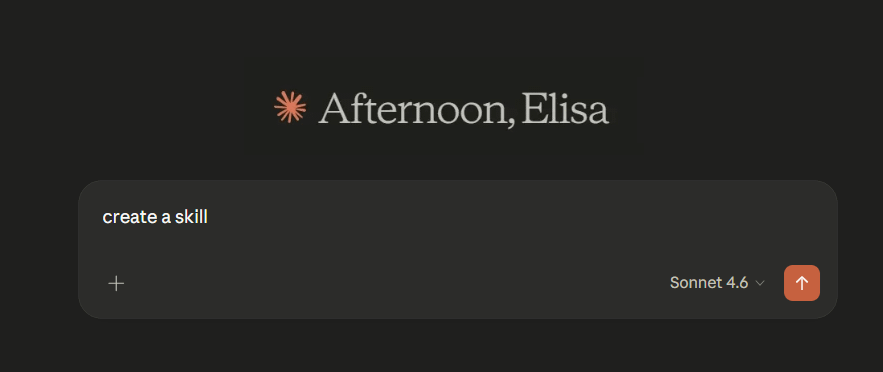
The skill has been activated, and now it will help us create our custom skill.
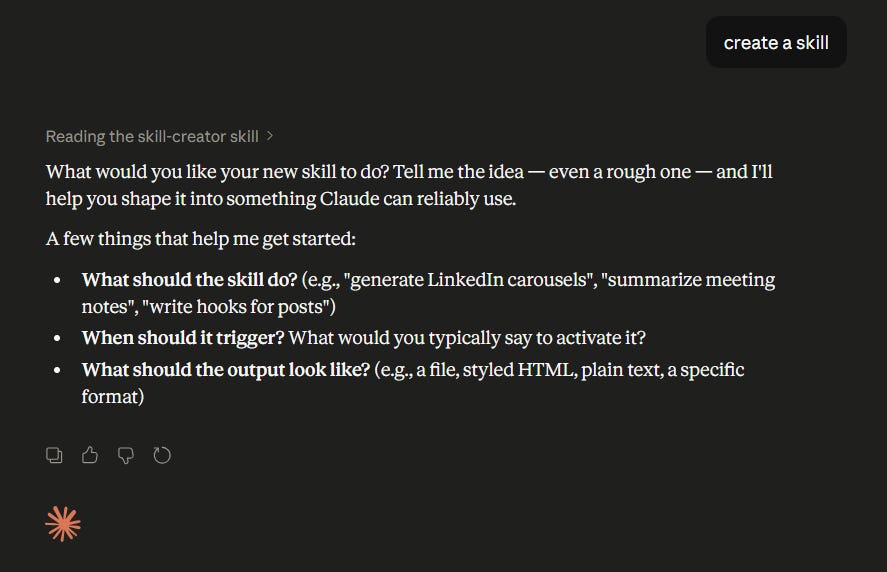
Type something like this: adapt it as you wish.
I want a skill called "ai-news-radar" that searches and summarizes the latest AI news from selected sources. It removes duplicates and categorizes the topics.

## Objective

Searches and summarizes the main recent Artificial Intelligence news from curated sources.

The skill:
- searches recent news
- removes duplicates
- categorizes the topics
- summarizes
- returns:
  - title
  - link
  - category
  - short summary

(...)
Claude will ask several questions. You can answer them or skip them for now.
It will create an initial version of the skill, and you can send new instructions in the chat until it looks the way you want. Then, just save it.
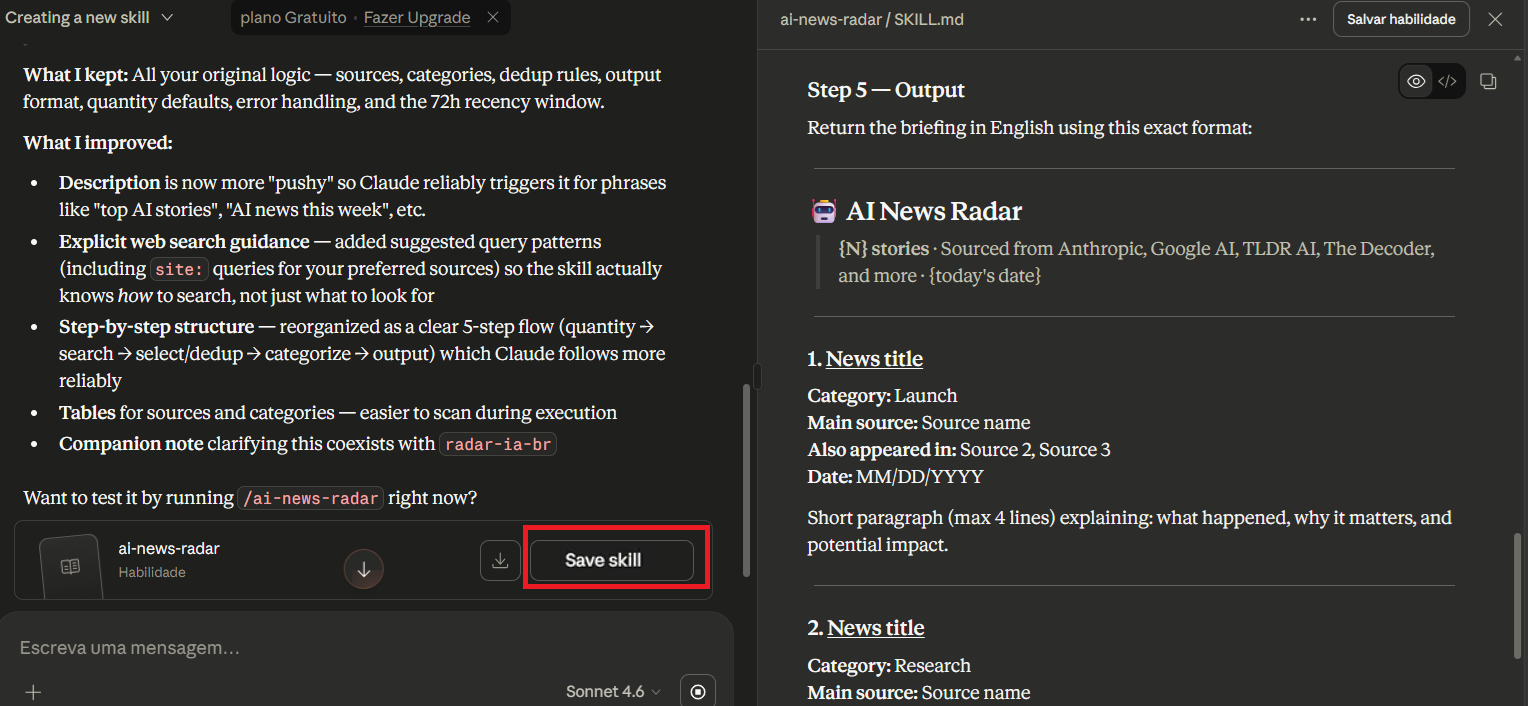
PS: You can download the complete skill here.
Your skill is ready!!
Importing a skill
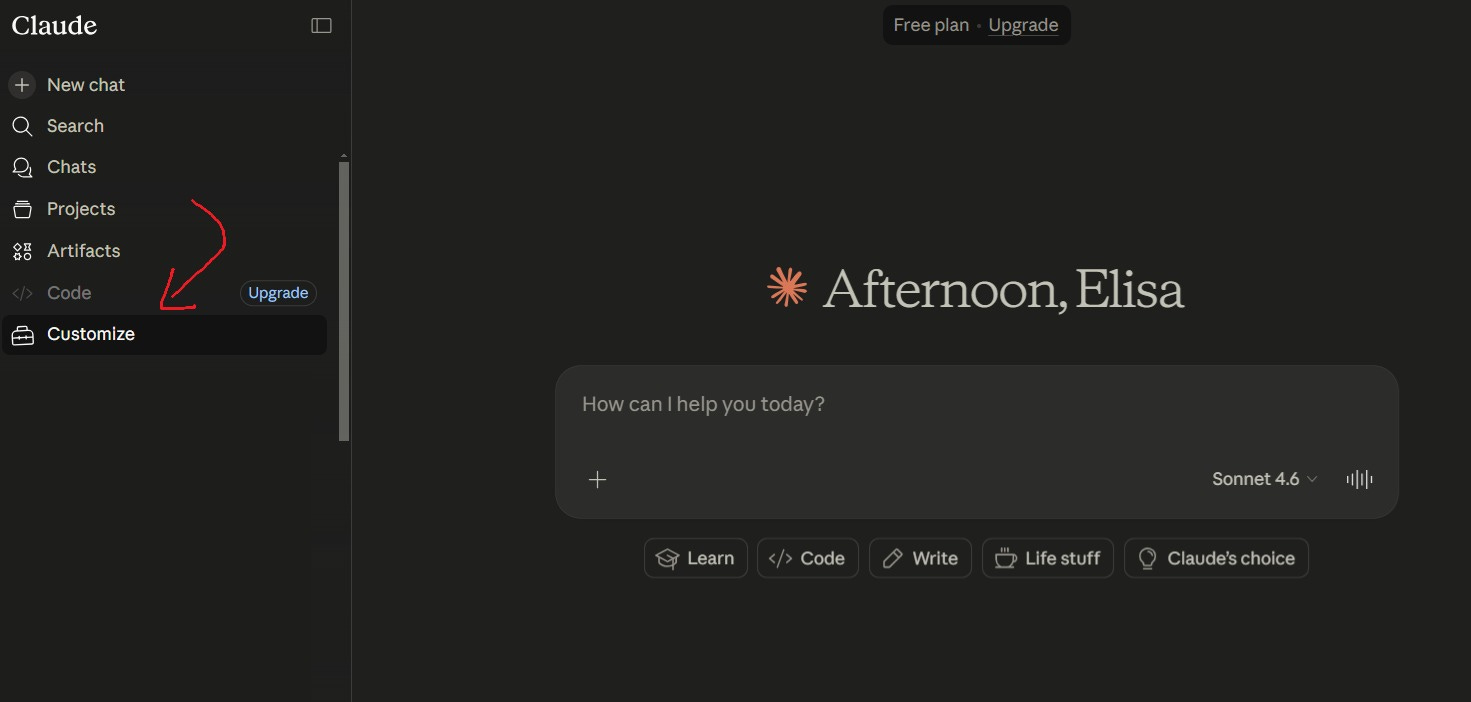
You can also import an already-created skill directly into Claude. Just access the chatbot, authenticate, and click “Customize”.
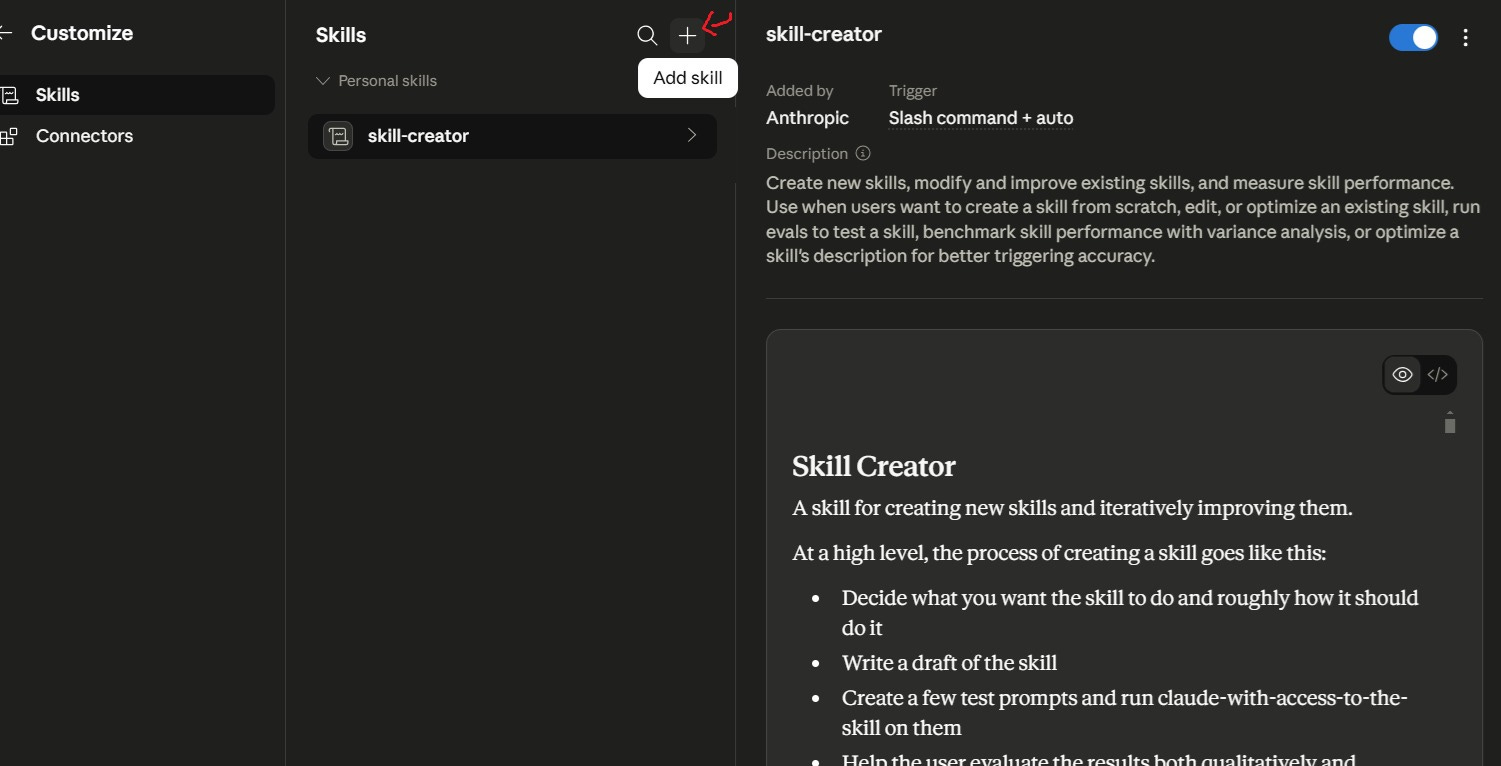
Now go to Skills and click the + button to import.
Then, upload the markdown file that contains the complete skill description.
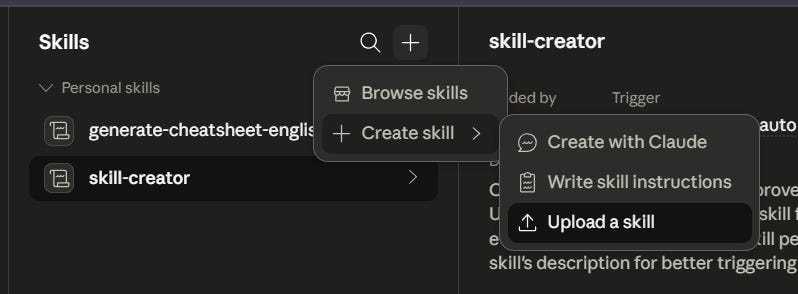
👉🏼 To import the complete skill we created here, just download the file from GitHub and import it into Claude.
Using our Skill
Just enter the command /ai-news-radar, which is the name we gave to the skill, and Claude will execute it.
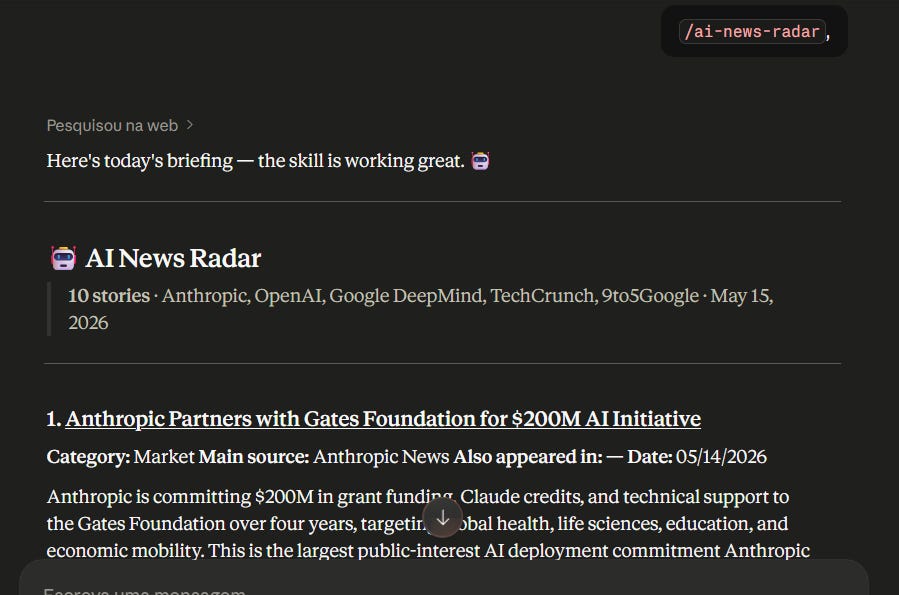
And it works! 🥳
Conclusion
Creating a skill to list AI news is a simple and practical example of how Claude can be adapted to your workflow.
You define the sources. You define the categories. You define the rules for removing duplicates. You define the output format.
And then you reuse it whenever you want to follow AI updates in a more organized way.
In the end, the skill is not just a saved prompt.
It is a piece of your curation process encapsulated inside AI.
In this example, the purpose is only educational: to understand how to transform a repetitive task into a clear, controlled, and reusable workflow.
And this may be one of the most interesting uses of Skills: turning operational knowledge into small tools inside Claude.
If you liked it, leave a like and share it with your network❣️