
How I Accessed NASA Data Using MCP and Natural Language

For a long time, using APIs meant:
reading documentation
writing integrations
dealing with authentication
manually crafting requests
parsing JSON responses
Now, a new layer is starting to emerge.
MCPs (Model Context Protocol) are transforming APIs into tools that AI agents can use directly through natural language.
Last month, we explored how to access Brazilian government data using MCP.
In today’s article, we’ll see how to access NASA data!
Also check out:
Follow our page on LinkedIn for more content like this! 😉
NASA MCP Server
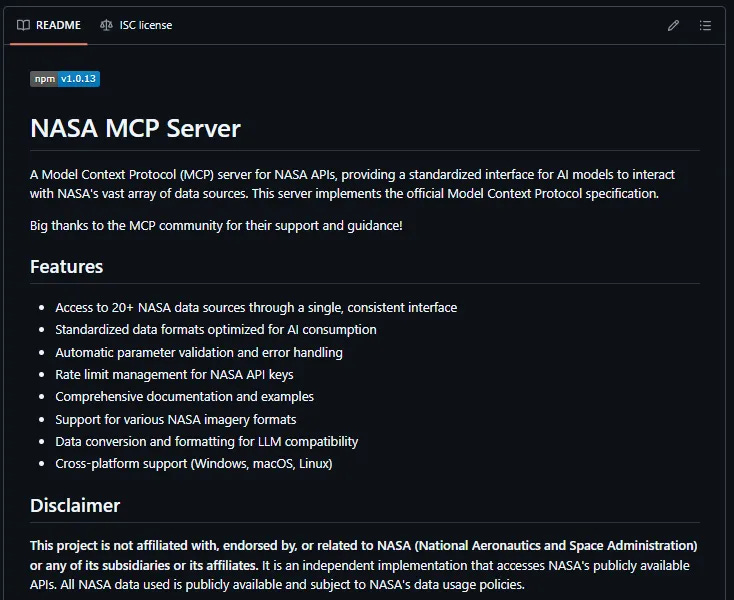
The NASA MCP Server is a project that connects AI models to NASA’s public APIs, allowing users to query space-related data simply through natural language instructions.
Examples:
“Which asteroids will pass close to Earth this week?”
“Show recent solar storm events”
“Fetch recent images captured by the Curiosity rover”
“Explain today’s Astronomy Picture of the Day”
Instead of just “talking about space,” the model can now actively query astronomical events, space weather, satellite imagery, near-Earth objects, and real-time scientific data.
The project integrates several NASA APIs, including:
APOD
Mars Rover Photos
Near Earth Objects
DONKI Space Weather
Earth Imagery
EONET Natural Events
Note: The project is not officially affiliated with NASA. The server is an independent implementation that accesses NASA’s public APIs while respecting their data usage policies. Even so, the result is quite impressive.
This shows how MCP is quickly becoming an important layer in the AI agent ecosystem.
Because the value no longer lies only in the model itself.
It also lies in the tools, integrations, and data sources the agent can access.
Now let’s see how to access the MCP!
Before you start: what you’ll need
Before getting started, you’ll need:
Install Claude Desktop
The first step is installing Claude Desktop if you haven’t already. Download it from claude.ai/download. It’s free.
Node.js version 18 or higher
To check whether Node.js is already installed, open your terminal and type node -v. If a version number appears, you’re good to go. Otherwise, install it from nodejs.org.
A NASA API Key (free)
Go to api.nasa.gov, click “Generate API Key,” fill in your name and email address, and you should receive your key in your inbox shortly afterward.
Step-by-step
Step 1: Find the Claude Desktop configuration file
Claude Desktop uses a JSON configuration file to determine which MCP servers should be loaded. You’ll need to edit this file.
The path varies depending on your operating system:
macOS:
~/Library/Application Support/Claude/claude_desktop_config.jsonWindows:
%APPDATA%\Claude\claude_desktop_config.jsonLinux:
~/.config/Claude/claude_desktop_config.json
An easier way to find it:
Inside Claude Desktop, after signing in, go to “File” → “Settings” → “Developer”
Then click the “Edit Config” button. Claude will show the exact location of the claude_desktop_config.json file.
Step 2: Add the NASA server to the file
Edit the claude_desktop_config.json file.
Paste the following content, replacing YOUR_KEY_HERE with your NASA API key:
{
  "mcpServers": {
    "nasa-mcp": {
      "command": "npx",
      "args": ["-y", "@programcomputer/nasa-mcp-server@latest"],
      "env": {
        "NASA_API_KEY": "YOUR_KEY_HERE"
      }
    }
  }
}
Important: if your configuration file already contains other MCP servers, do not delete everything.
Simply add the "nasa-mcp" block inside the existing "mcpServers" section. A malformed JSON file (for example, a misplaced comma) can prevent Claude Desktop from starting correctly.
Save the file after editing.
Step 3: Restart Claude Desktop
Completely close Claude Desktop (don’t just minimize it — fully quit the application, and if necessary, end the task/process).
Open it again.
The first time Claude starts with the new server configured, npx will automatically download the package from npm. This may take a few seconds.
Step 4: Confirm that it worked
Let’s see if Claude can detect the MCP server. Open a new conversation and ask something like:
“Do I have any NASA MCP server available?”
The response:
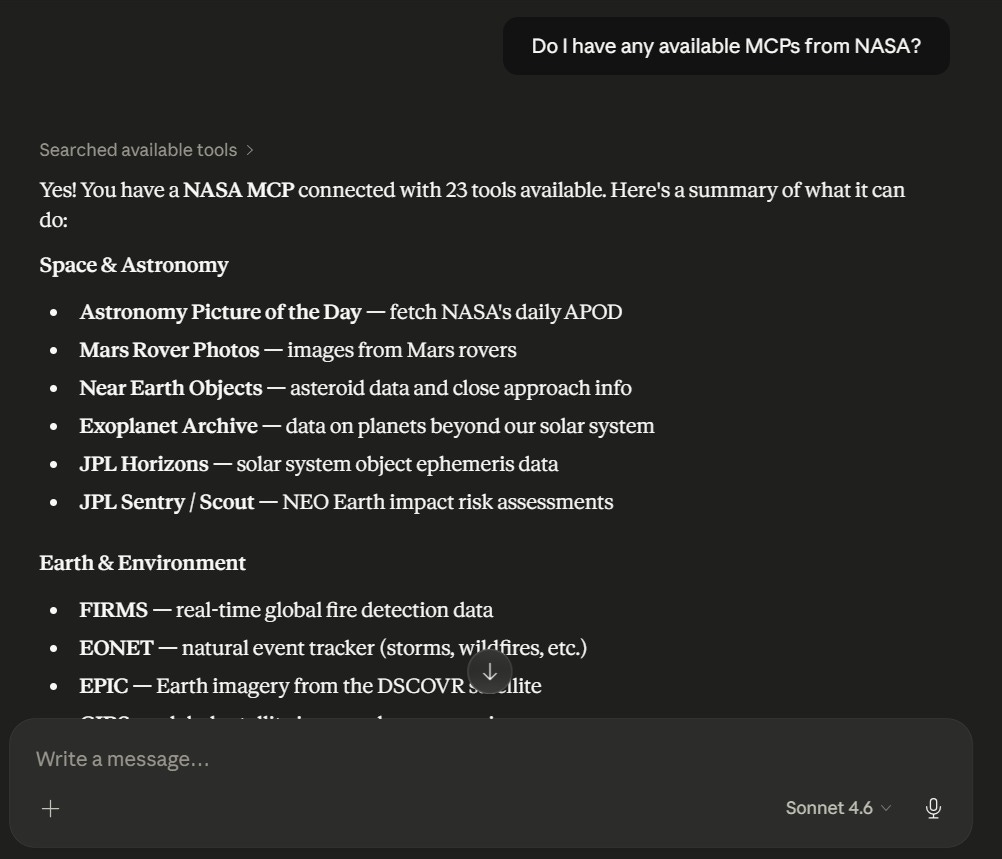
It found it! 🥳
Now let’s ask:
“What is today’s Astronomy Picture of the Day?”
Claude Desktop will ask for permission to execute the MCP server and access the APOD (Astronomy Picture of the Day) data.
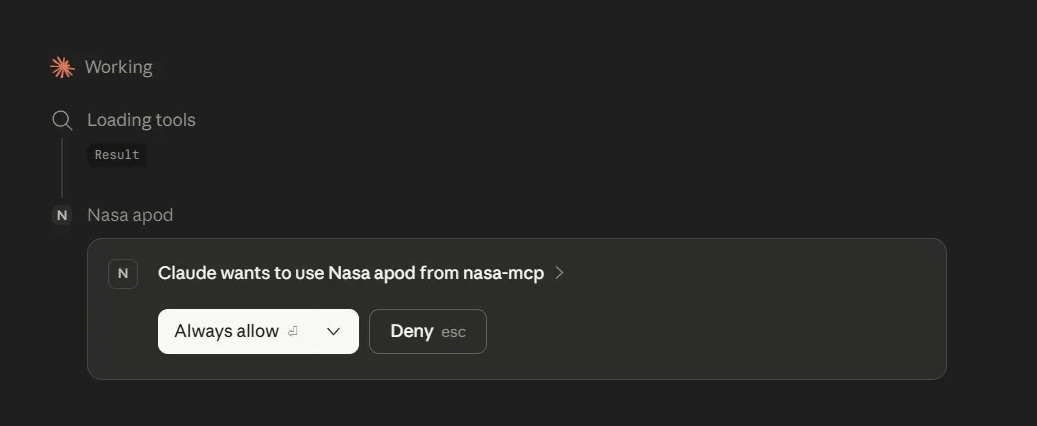
After granting permission, here’s the response:
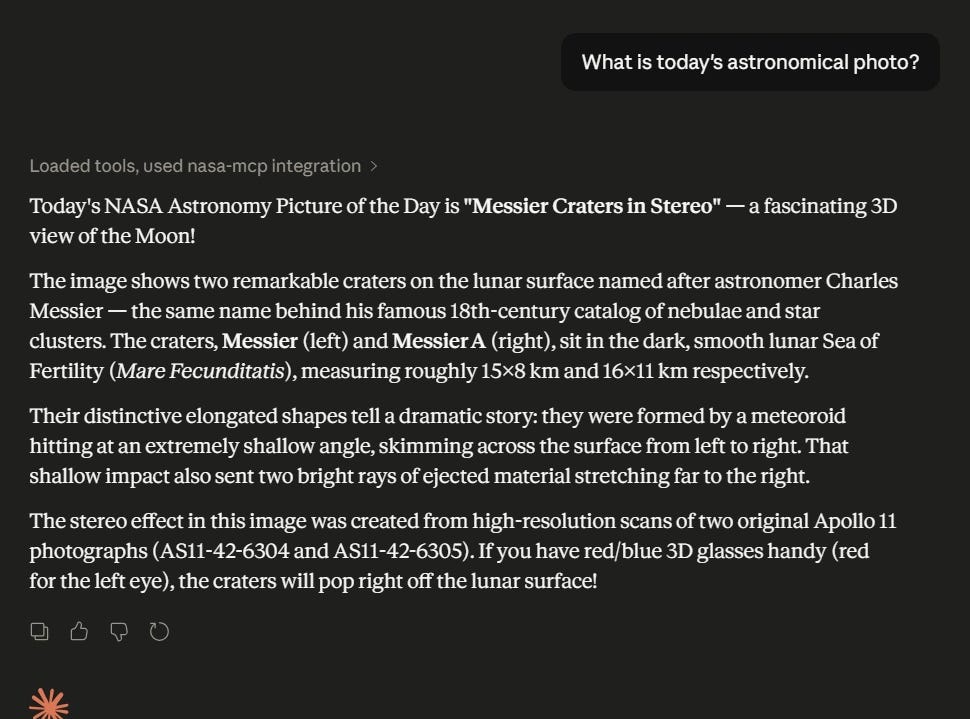
Another example:
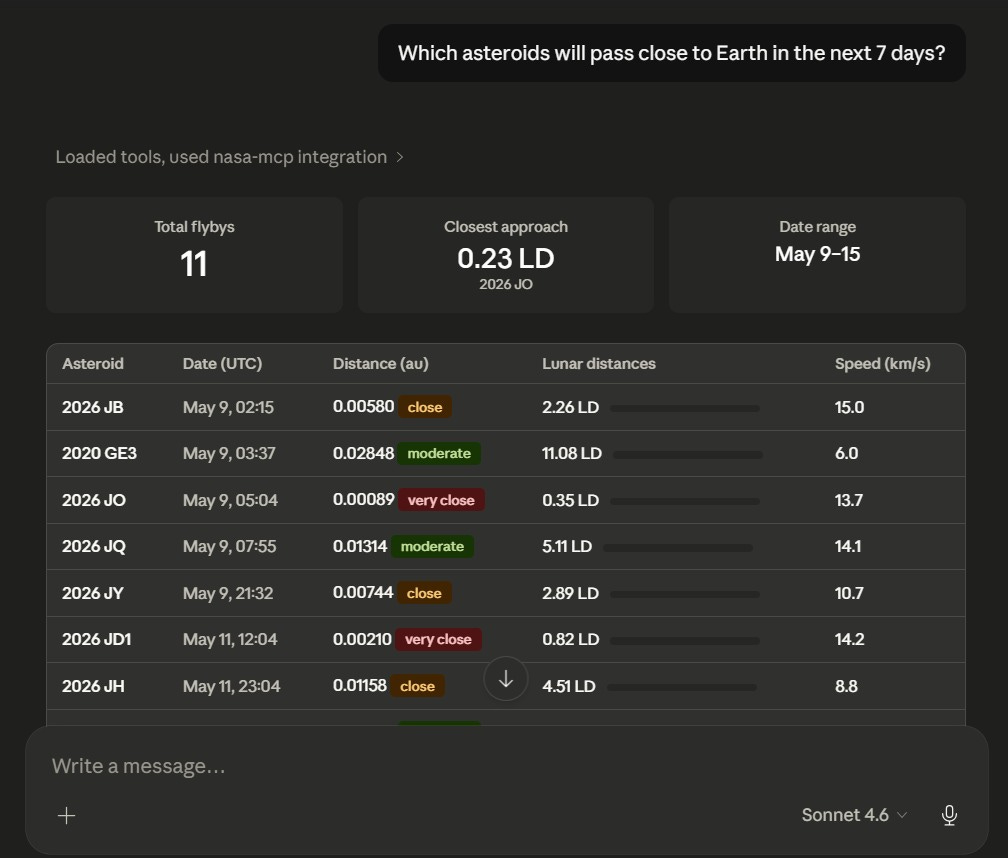
Note: Claude does not display the images directly inside the chat. It returns the data, metadata, descriptions, and links. If you want to actually view an image, you’ll need to click the link and open it in your browser. Nothing that hurts the experience, but it’s good to know beforehand. 🙂
What you can do now
The NASA MCP Server provides access to more than 20 different APIs. Some of the most interesting ones include:
APOD: NASA publishes an astronomy photo or video every day, accompanied by explanations written by astronomers. You can ask for today’s entry or any specific date.
Mars Rover Photos: Access the image archives from the Curiosity, Spirit, and Opportunity rovers. You can filter by date, Martian sol, or camera type.
NEO (Near Earth Objects): Real-time data about asteroids and comets passing close to Earth. You can ask about a specific week and see the size, speed, and distance of each object.
EPIC: Images of Earth captured from the L1 Lagrange point, approximately 1.5 million kilometers away. These are full-disk images of the planet.
FIRMS: Near real-time satellite data about active fire hotspots around the world.
DONKI: A database of space weather events, including geomagnetic storms, solar flares, and coronal mass ejections.
GIBS: Satellite imagery from any region of the planet on specific dates, useful for monitoring deforestation, droughts, snow coverage, and other phenomena.
Exoplanet Archive: NASA data about confirmed planets outside our solar system.
Conclusion
Connecting external APIs to Claude changes the nature of what we can do with AI assistants.
Instead of an assistant that mainly knows about the past (up to its training cutoff date), we now have an assistant capable of reasoning over current and highly specific data.
The same principle behind the NASA MCP can be applied to virtually any other data source that exposes an API: weather, financial markets, code repositories, or internal enterprise systems.
MCP is the protocol that makes this possible in a standardized way.
Now the real question is:
Should we ask Claude whether there’s an asteroid heading toward Earth? 😅
If you enjoyed the article, leave a like and help spread the word! ❤️